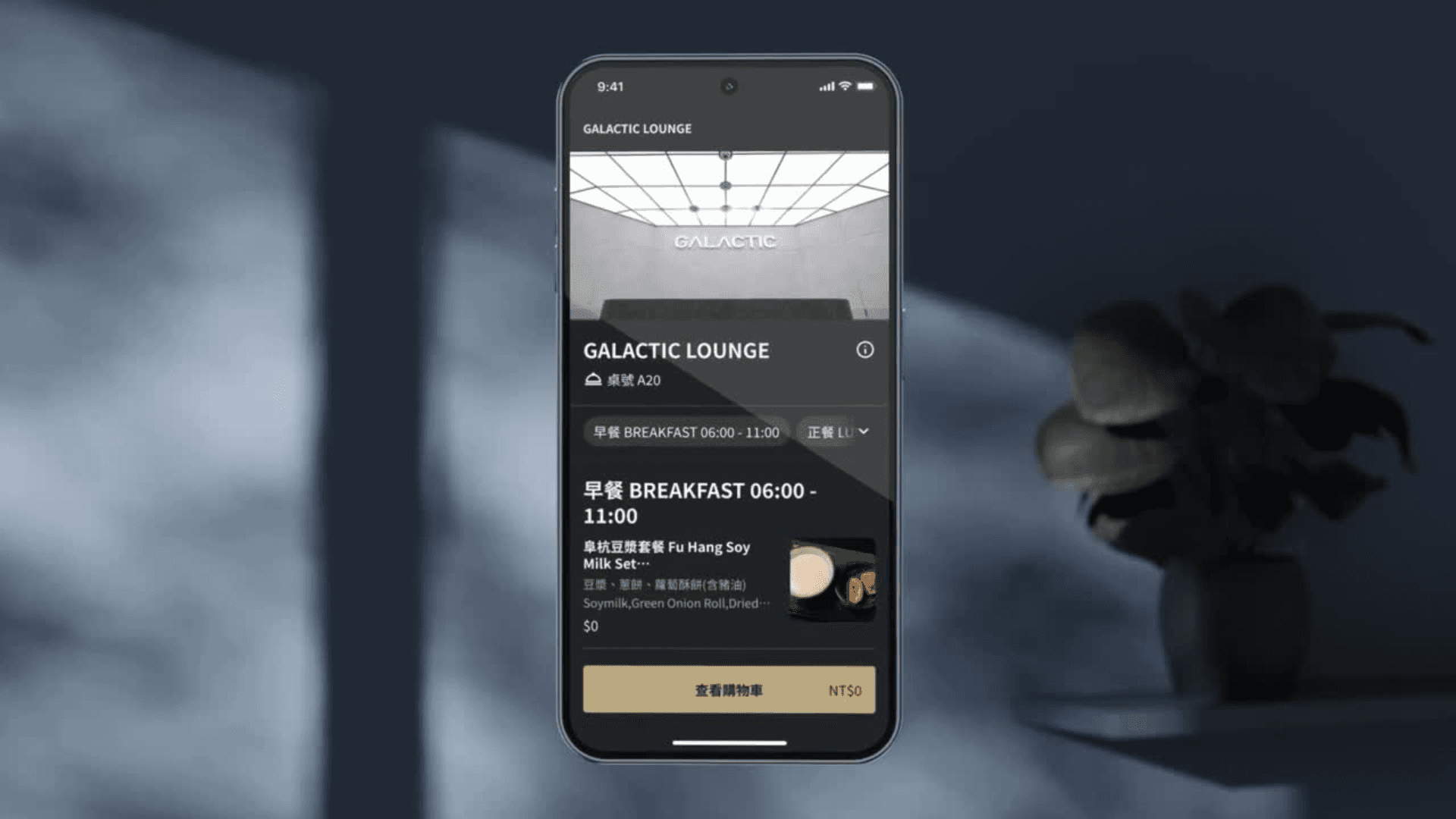
iCHEF
Lunch the food delivery service to enchance the work efficiency
Duration
2021/10~2022/2 (5 months)
Team
Product Manager *1
Product Designer *3
Engineers (Front-end, Back-end, iOS) *3
My Role
Product designer, responsible for: competitive analysis, user interviews, interface design, stakeholders review
Project Background
iCHEF is a Point-of-Sale software company that offers one of its services called "online ordering", where merchants can set up their own websites and allow consumers to place orders.
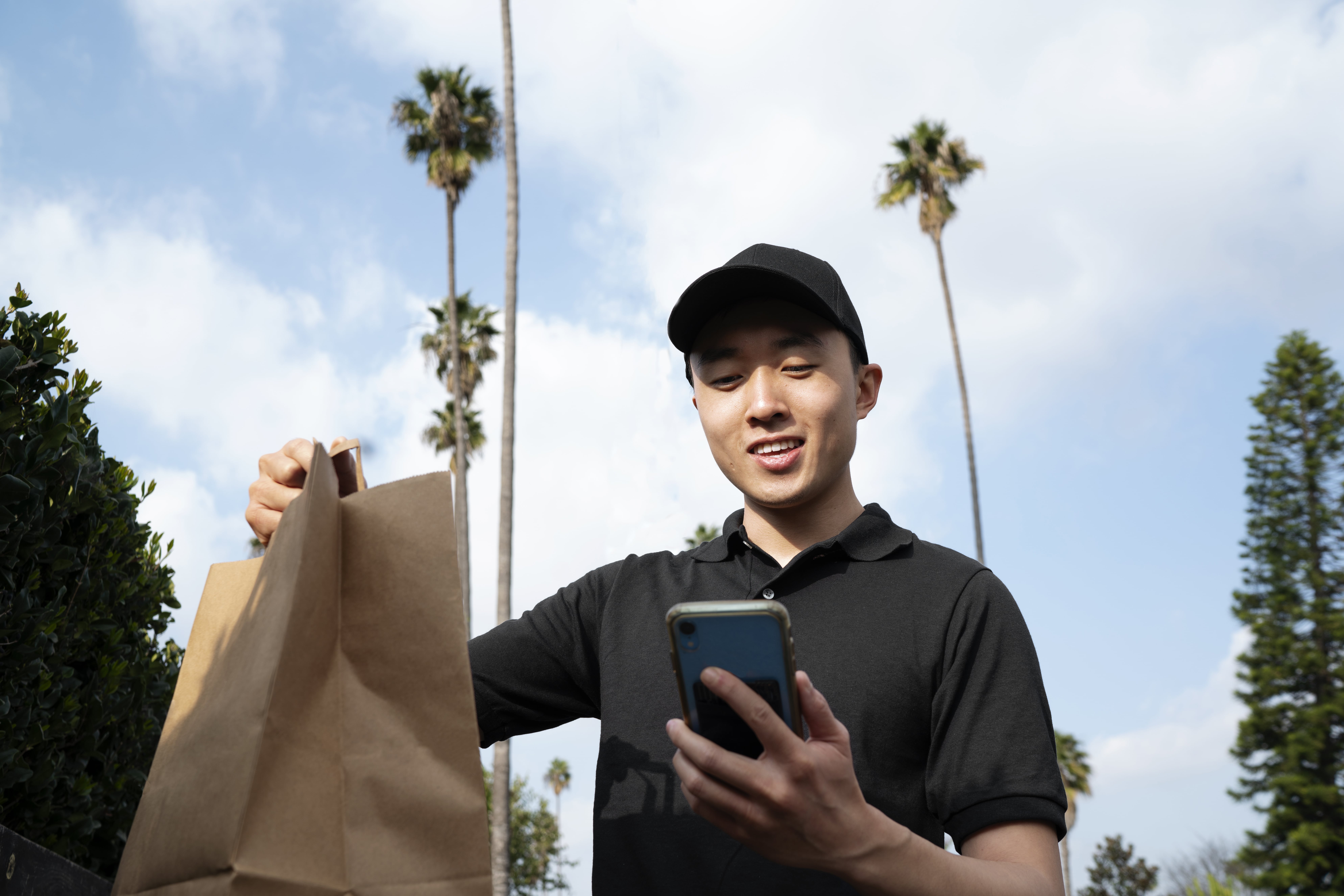
We have observed that about 17% of merchants choose to act as delivery personnel themselves to avoid the high commission fees of delivery platforms (such as Uber Eats and foodpanda) and accept orders on their online ordering websites.
Pain Points
Originally, the online ordering website only offered takeout services, which led to information gaps between restaurants and consumers, requiring back-and-forth confirmation of information.
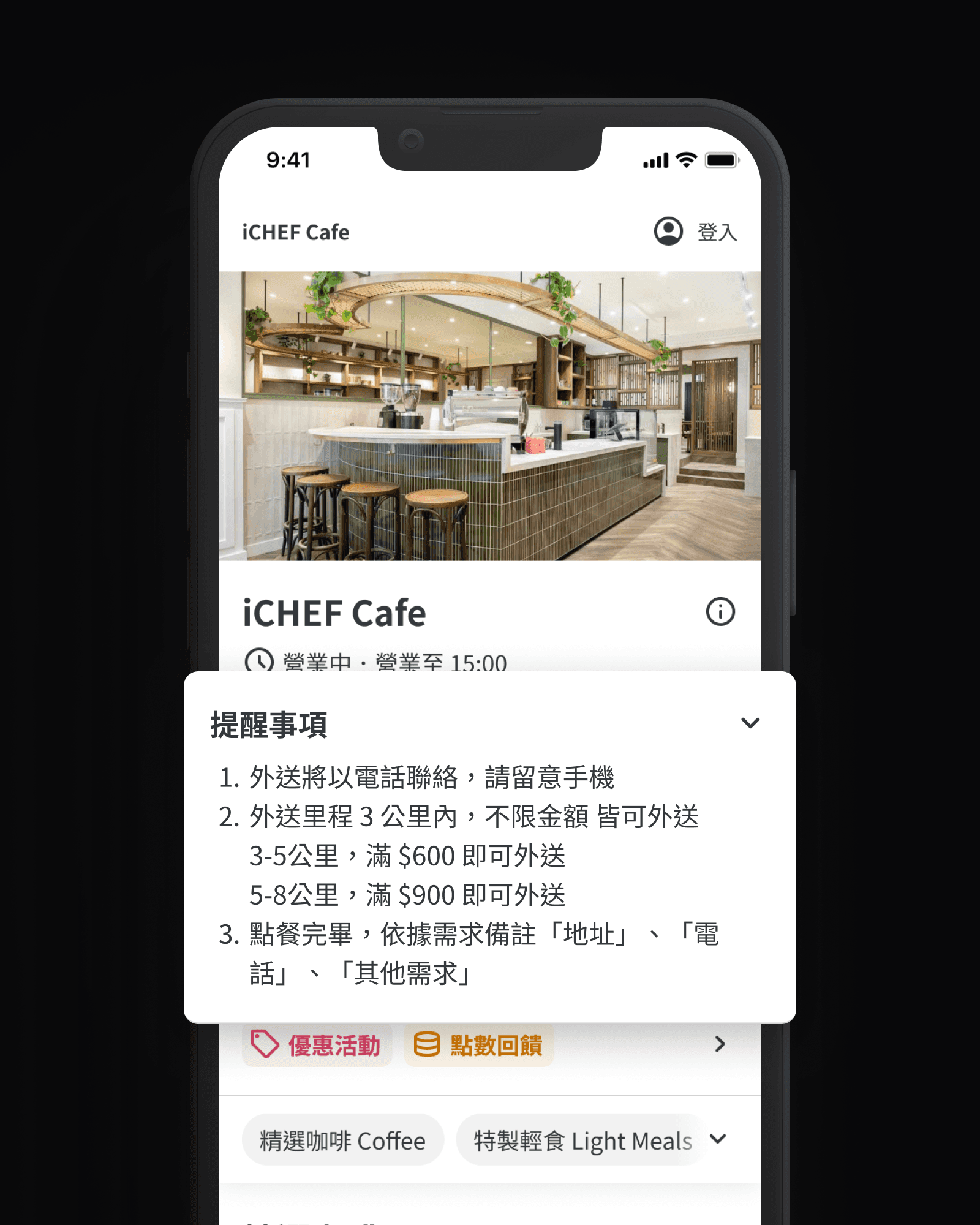
Menu Page
The store needs to enter delivery rules in the notes.
The store needs to determine whether the order is for takeout or delivery when accepting it.
Consumers need to understand the different rules of different stores on their own.
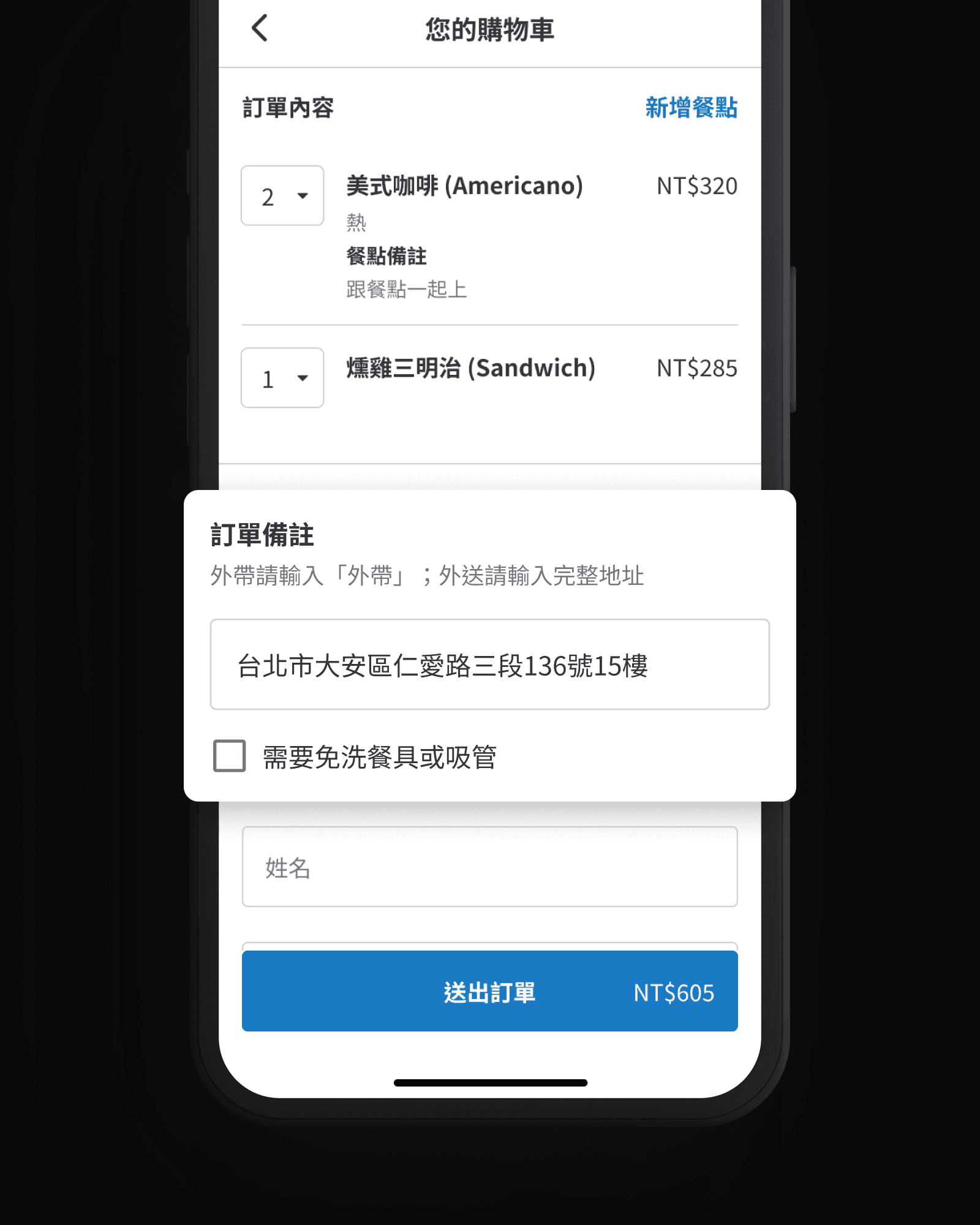
Shopping Cart
Consumers need to enter the address themselves in the order note field.
Consumers must return to the menu page to check whether they meet the delivery threshold.
If the address is incomplete, the store needs to call the consumer to confirm.
Business objectives
We expect that stores will increase their willingness to purchase online ordering service due to the supporting of takeout and delivery services), which will boost our key business metrics. The delivery service reached its target after 12 weeks of going live in May 2022:
+
%
Total order volume growth percentage
+
%
Online checkout amount (GMV) growth percentage
Design Challenge
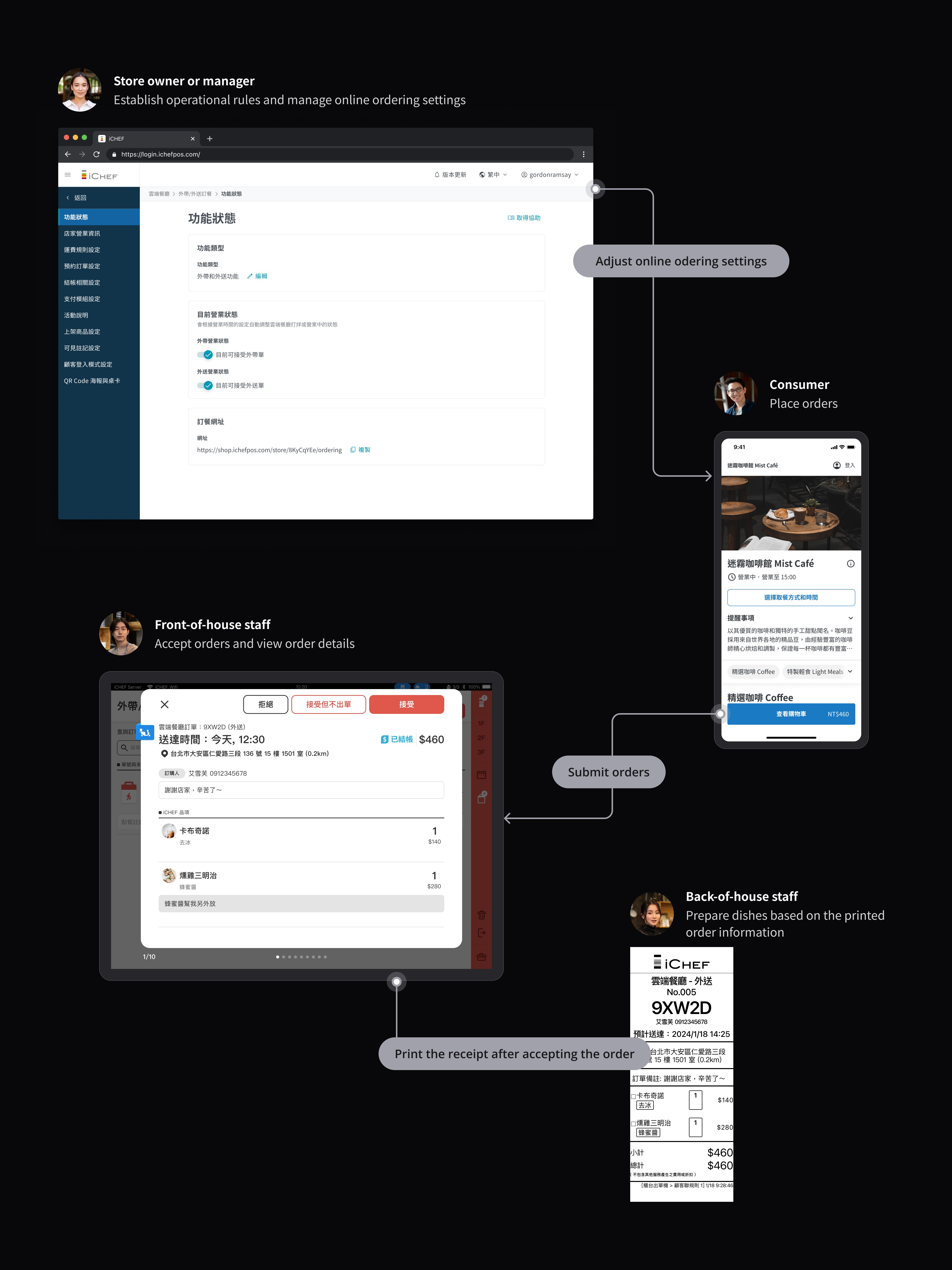
Since iCHEF provides services from consumer ordering to store order receiving, product designers need to consider the user flow and details of "merchant's platform, online ordering website, POS, and receipts" to ensure a smooth user experience and meet the needs of the target users.
Competitive Analysis
Before entering the user flows design phase, to obtain the following information, I chose to conduct a competitive analysis:
Understand consumer needs to determine what information to provide to consumers.
Understand how delivery platforms integrate delivery and takeout functions and information.
Understand how consumers interact indirectly (to know the delivery person's status) and directly (by messaging the delivery person) with delivery personnel.
Have contracted delivery personnel ▼


Collaborates with Lalamove delivery personnel ▼



For each platform, I went through the process of ordering takeout and picking it up, recording areas that felt smooth, had obstacles, or caused confusion, and organized screenshots in Figma.
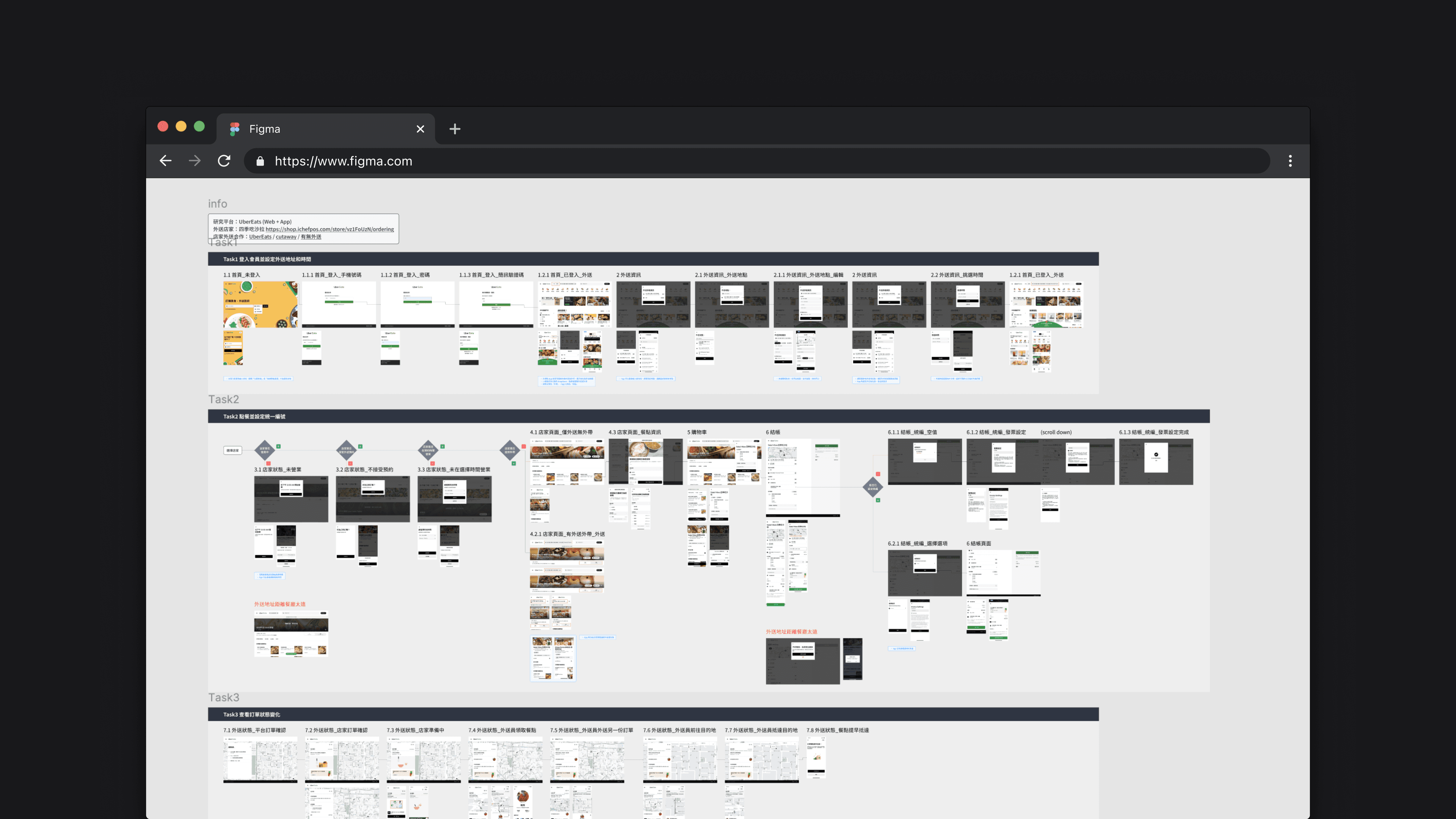
In the end, I summarized three main aspects that would affect the delivery ordering experience and paid special attention to them in the subsequent design process.
Entered the store
Different ordering paths
If you are not familiar with this shop, you may want to enter the address first to estimate the delivery fee. If you are familiar with the shop, you might want to order directly and then enter the address.
Before ordering
Clear shipping rules
Due to the varying shipping rules of iCHEF stores, it is necessary to present clear rule explanations and provide real-time delivery fee estimates.
After placing an order
Clear order status
After submitting the delivery order, it is necessary to present a clear change in order status and delivery time to provide consumers with certainty.
User Interviews
In competitive research, we learned that 'clear shipping rules' is a key factor for both merchants and consumers in delivery services. Therefore, we need to understand the considerations that merchants currently have in designing shipping rules, as well as their expectations for iCHEF's delivery service, so that we can refine our specifications to better meet actual needs.
Step 1. Set the criteria for the interview screening
The store is currently using iCHEF online ordering to provide "delivery service"
Launched the delivery service for more than a month, continuously accepting delivery orders in the past month
Clear and detailed delivery rules are necessary to understand how the store communicates with consumers
Is the store still using the online ordering website to take orders?
How long has the restaurant been providing delivery services?
What percentage of customers place takeout/delivery orders?
After the phone interviews, we chose 5 stores with different types of shipping rules and conducted 60-minute on-site interviews with each.
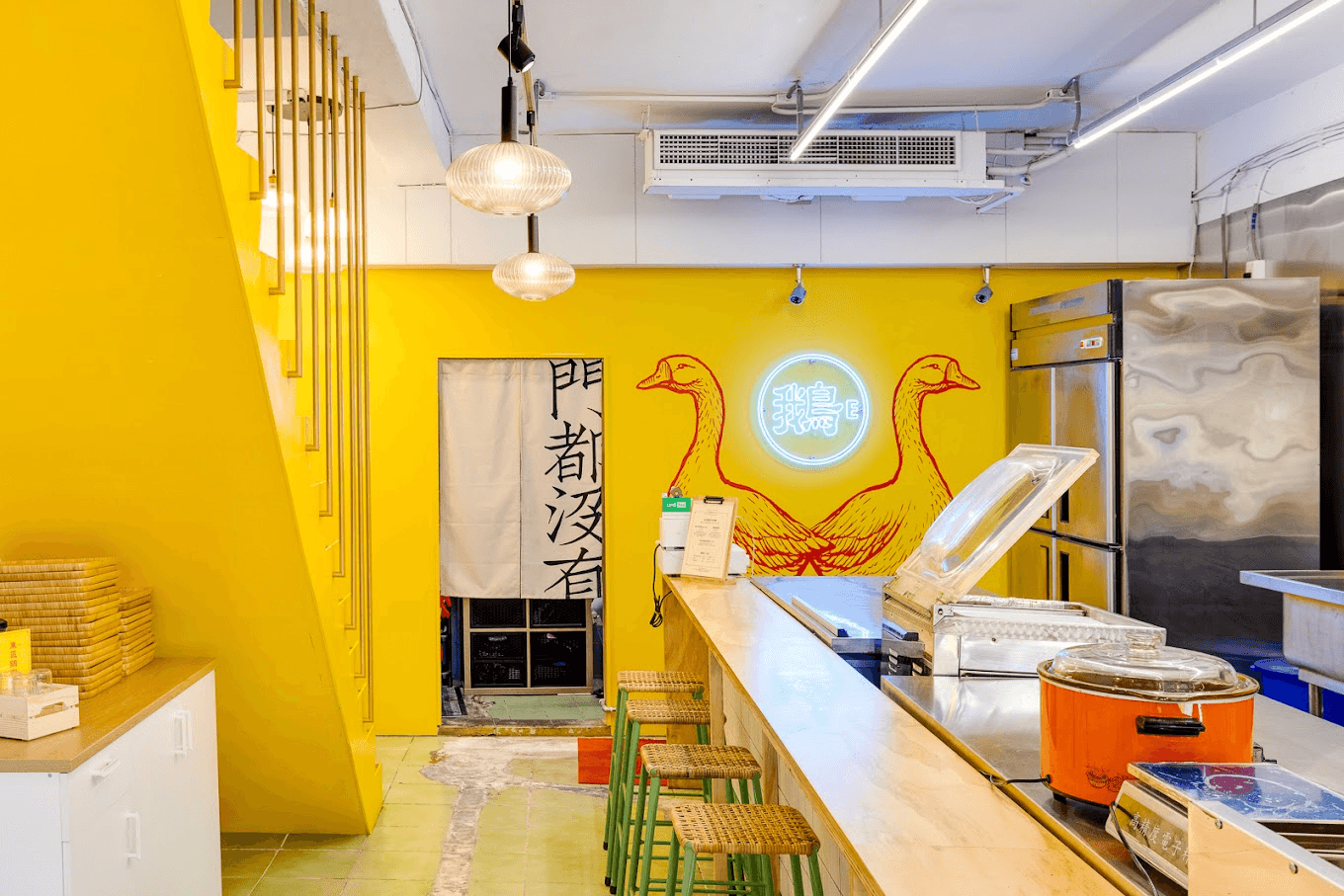
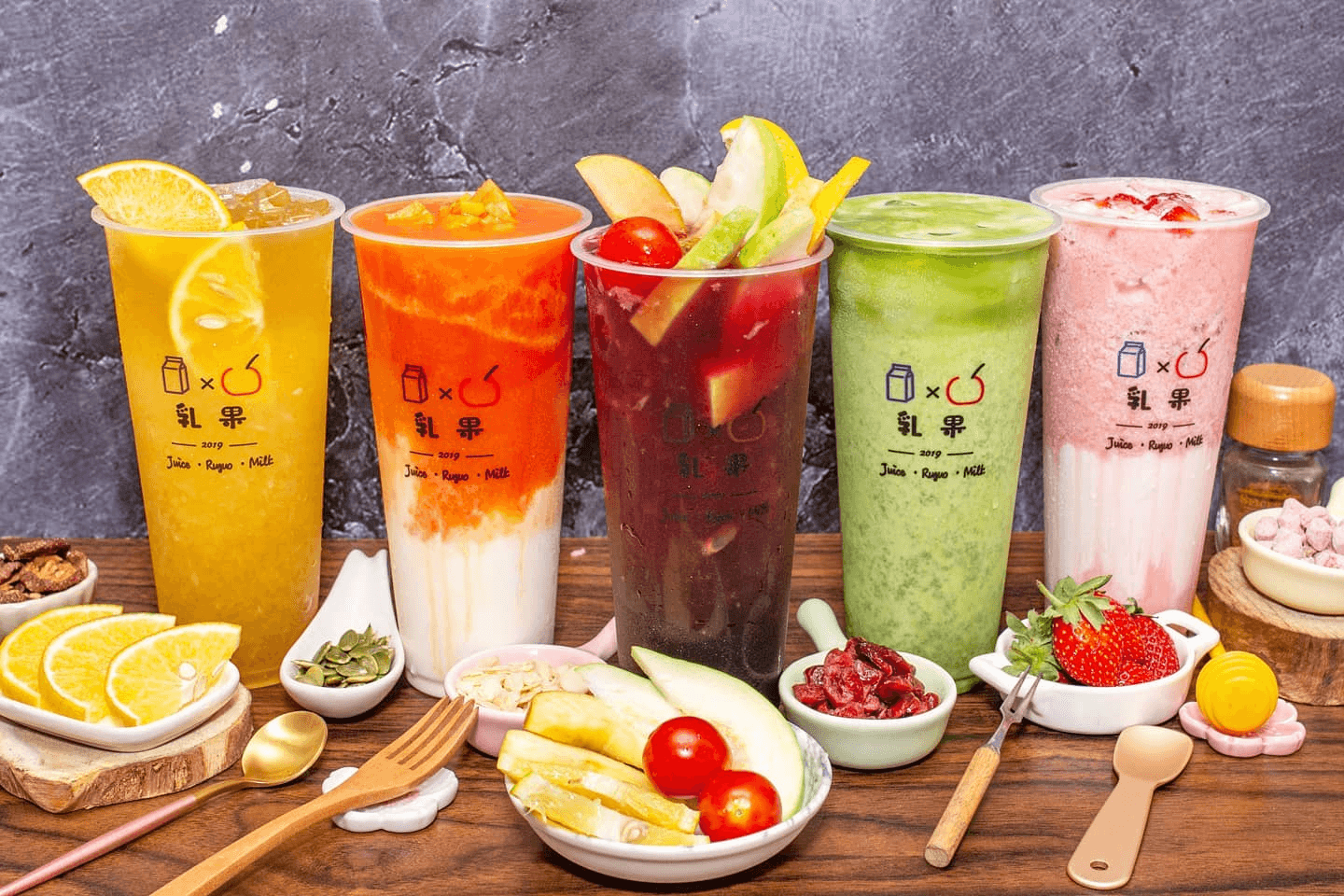
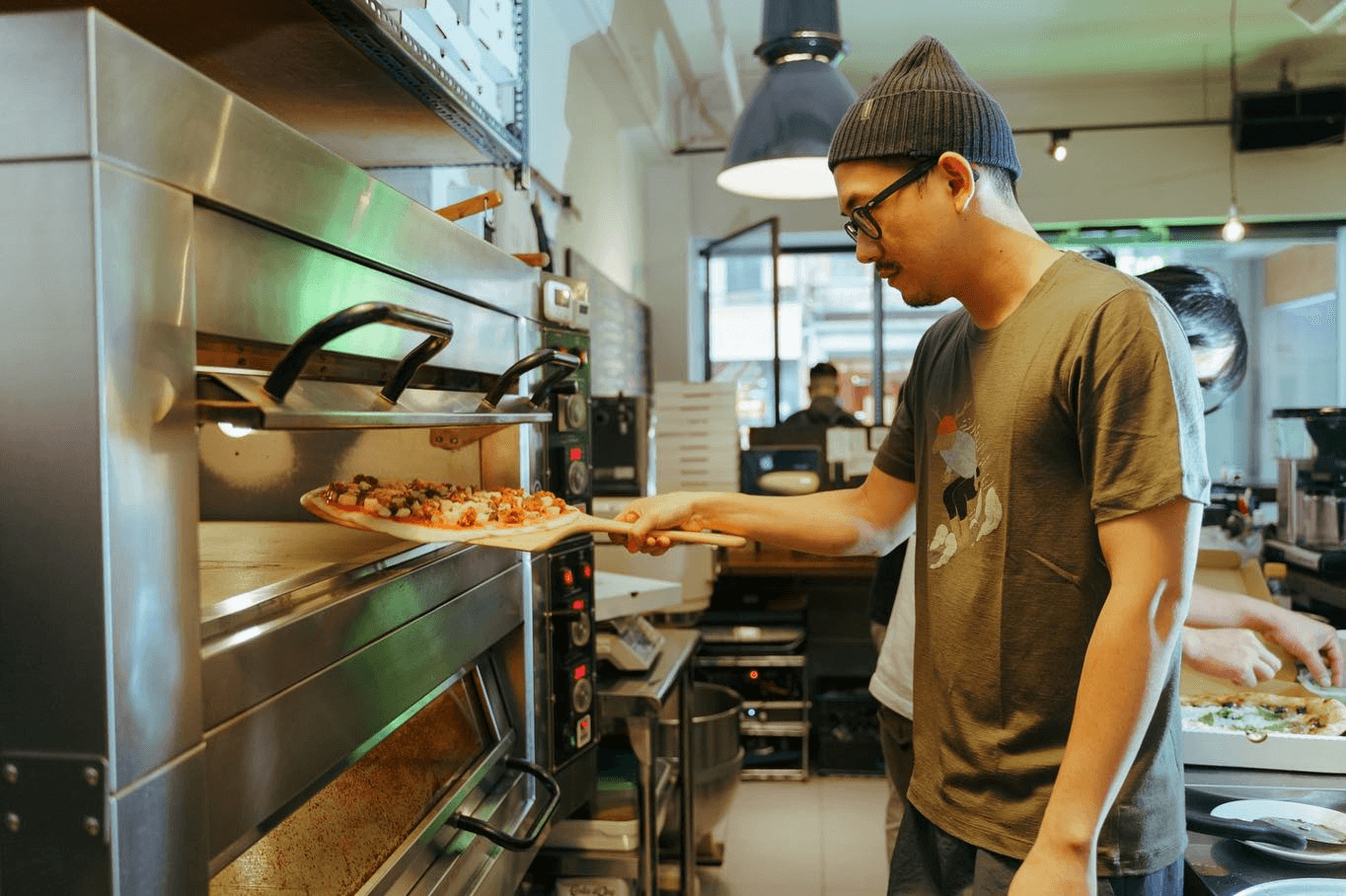
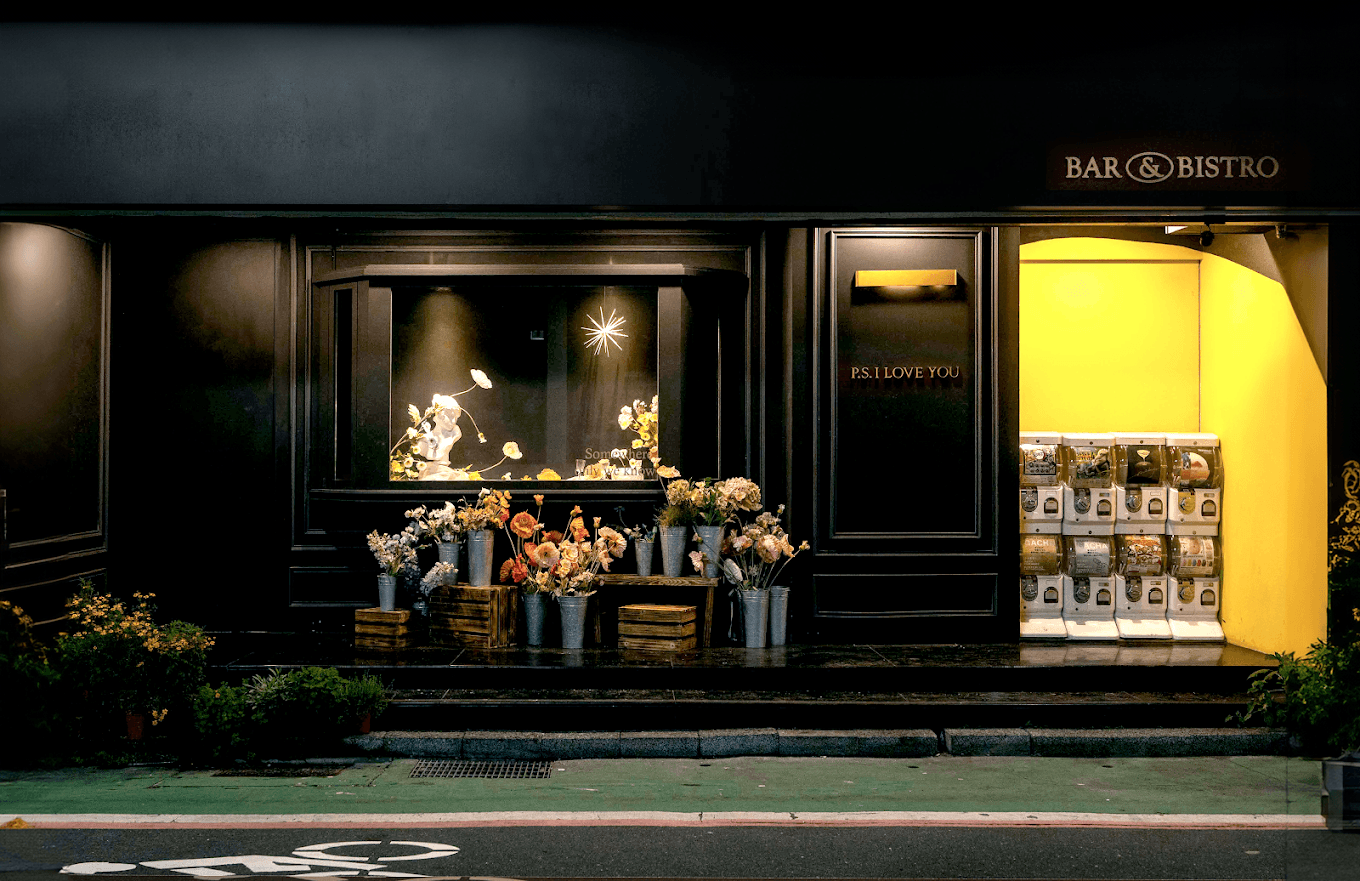
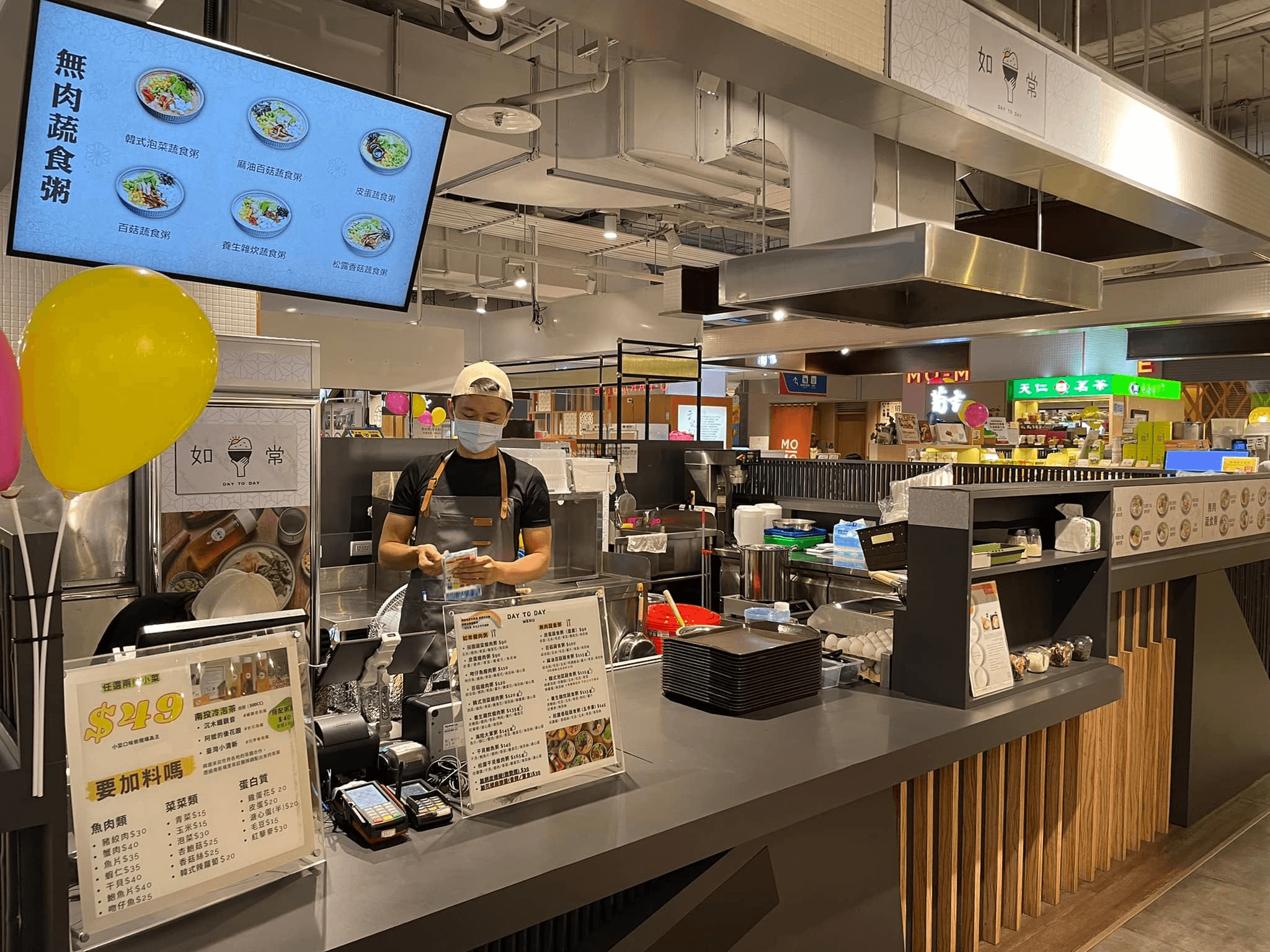
After completing the interview, we found the following 3 insights which also made the user flow smoother.
Marketing Direction
Restaurants that accept group orders and do not emphasize a strong physical atmosphere, have a greater demand for delivery.
Compared to bars and bistros, beverage shops and snack shops have a greater number of group purchases, and do not heavily emphasize the physical dining atmosphere. As the pandemic eases, the demand for delivery has even increased, allowing us to target these types of businesses for precise marketing.
Shipping Rules
All stores use "distance" as the starting point for thinking about shipping rules.
The store does not want consumers to go through an additional distance calculation process, so different area ranges have been defined. If different distance intervals can be set in the backend to allow consumers to automatically calculate shipping costs, communication between both parties can be based on distance.
Order Information
The store will group orders that are close in distance together to plan the delivery route.
The store will group orders that are similar in delivery time and distance when preparing meals. In addition to providing address information on the receipt, if the distance to the store is also included, it can help the store speed up the order processing.
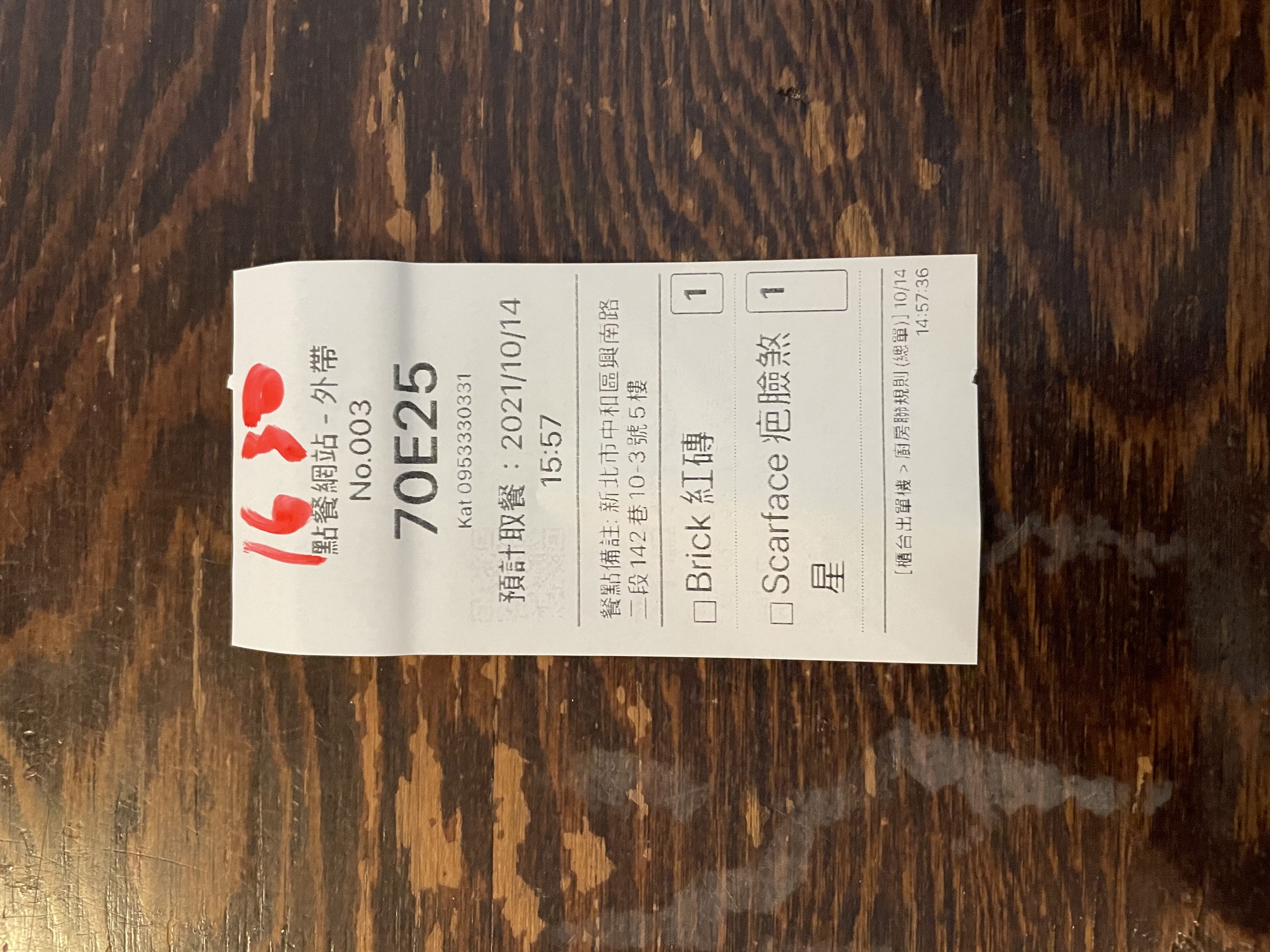
The store's current workaround is to write the delivery time on the top of the receipt.
Using the "Order Notes" field, please ask consumers to write down the address information.
Design Output
Merchant's Platform
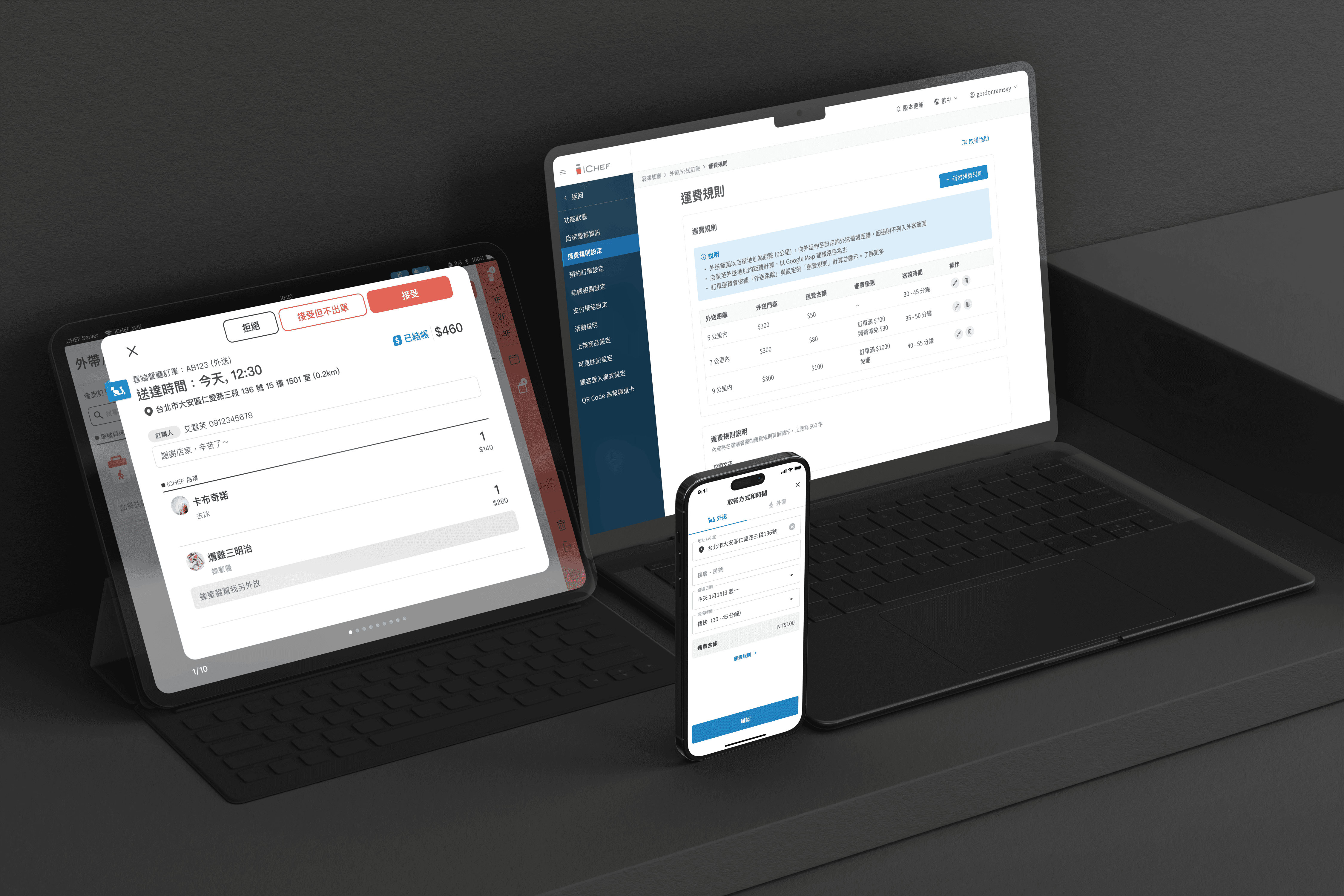
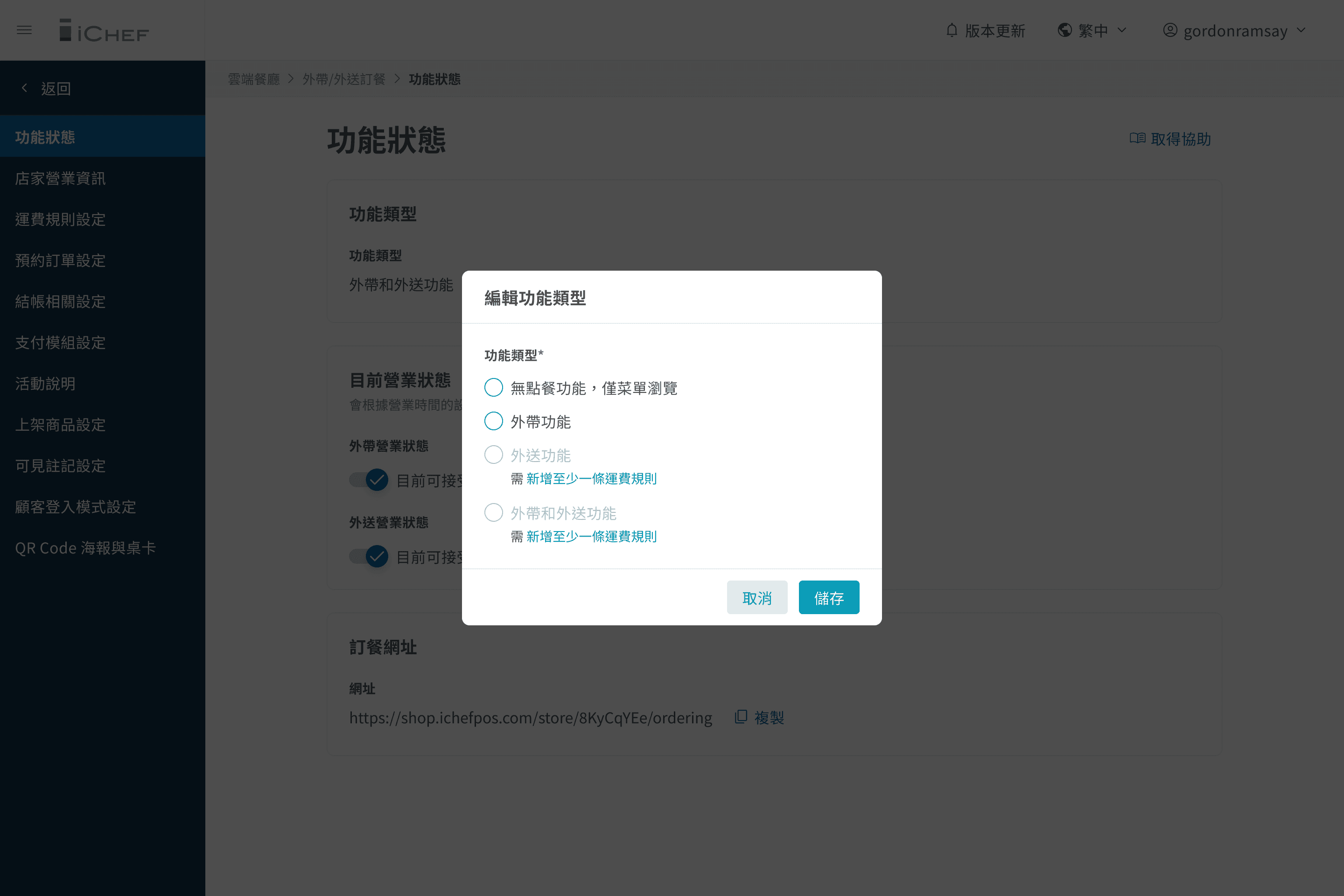
We have added different options on the "Takeout/Delivery Order" page, allowing shop owners to select the type of services and adjust the busniess status. These options will synchronously change the information display on the online ordering.
Before selecting the delivery option, the store must add at least one shipping rule. Therefore, I used the disabled status and explanatory text to provide guidance to the users.
However, after conducting internal usability tests, it was found that the guidance effect was not good, so I made some process adjustments.
First Version
The first thing that catches the eye is 'Add at least one shipping rule,' which can be distracting for stores that want to choose 'take-out' service.
The terms "take-out service" and "delivery service" will make store owners who want to provide both services think they need to select these two options.
Final Version
Let the store focus on the most important tasks at hand, first selecting the service type, and then displaying error messages to reduce cognitive load.
Change the terms to "Takeout only" and "Delivery only", to avoid confusion for stores that provide both services thinking they need to select both options.
Merchant's Platform
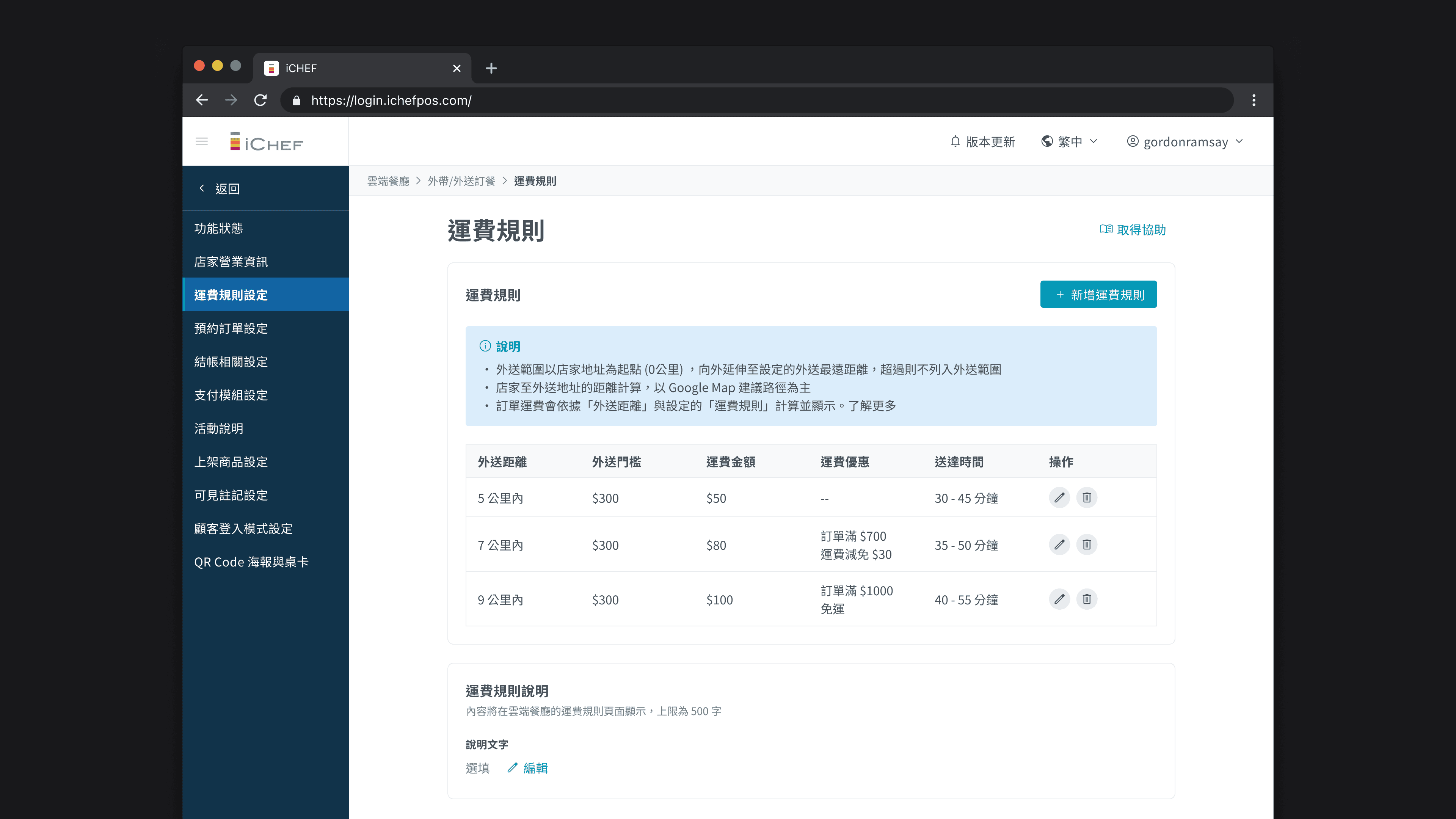
Before the feature went live, the workaround for stores was to manually input shipping rules in the "Note" section on the website. Now, store owners can directly add multiple shipping rules, with different field settings, making the application more flexible and diverse.
1
Distance is the core of the shipping fee rules, so we will let the users first input the range of distances applicable to those rules.
2
Users can set whether there should be a delivery threshold; some merchants prefer to offer delivery only after reaching a certain amount.
3
4
Merchant's Platform
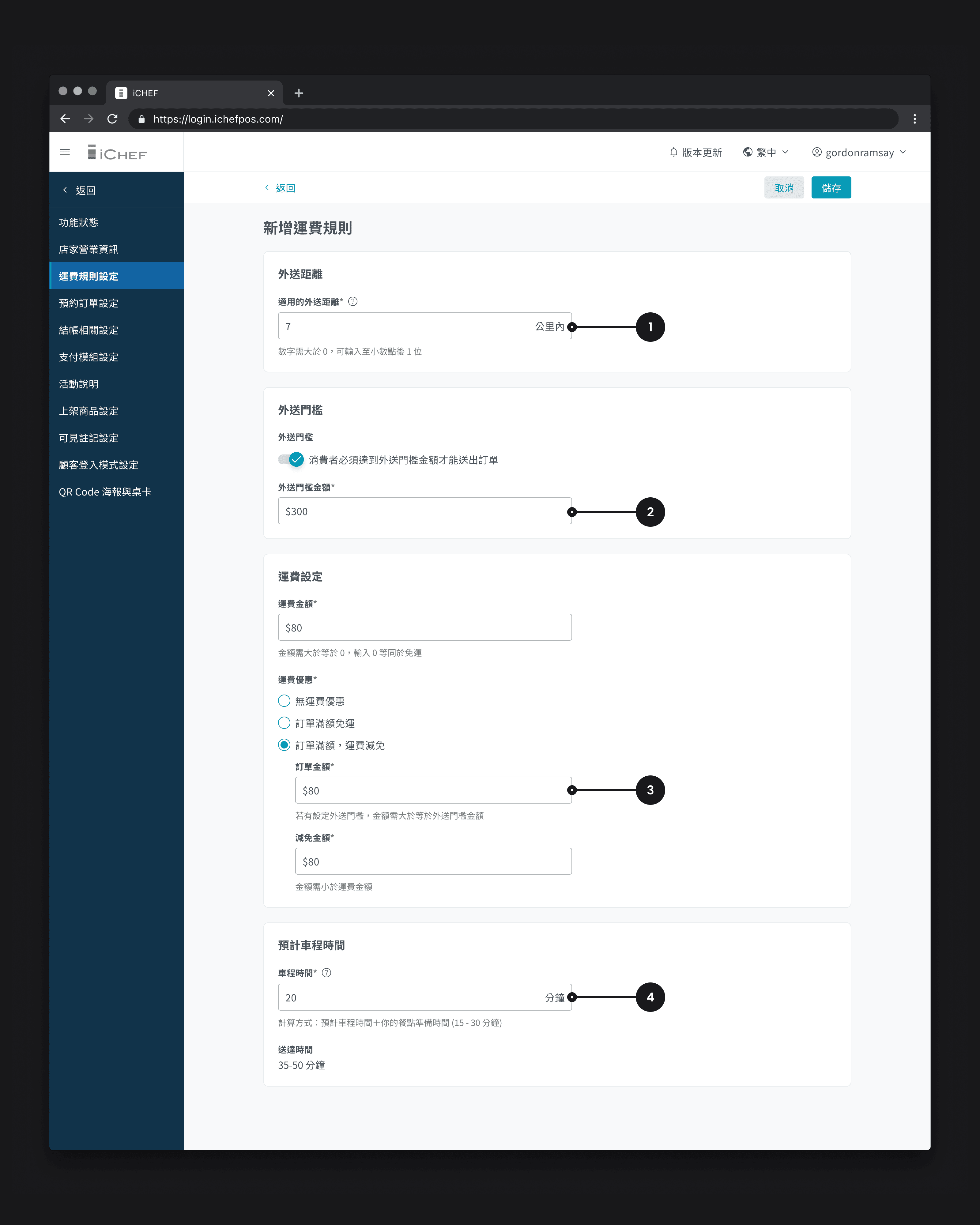
In order for consumers to accurately calculate the delivery distance after entering their delivery address, we have planned a "map positioning" feature that the store needs to set up before enabling the delivery function.
After entering the address, the store can adjust the map pin to obtain the latitude and longitude parameters, and the address will also be displayed on the cloud restaurant's "Restaurant Information" page.
Online Ordering
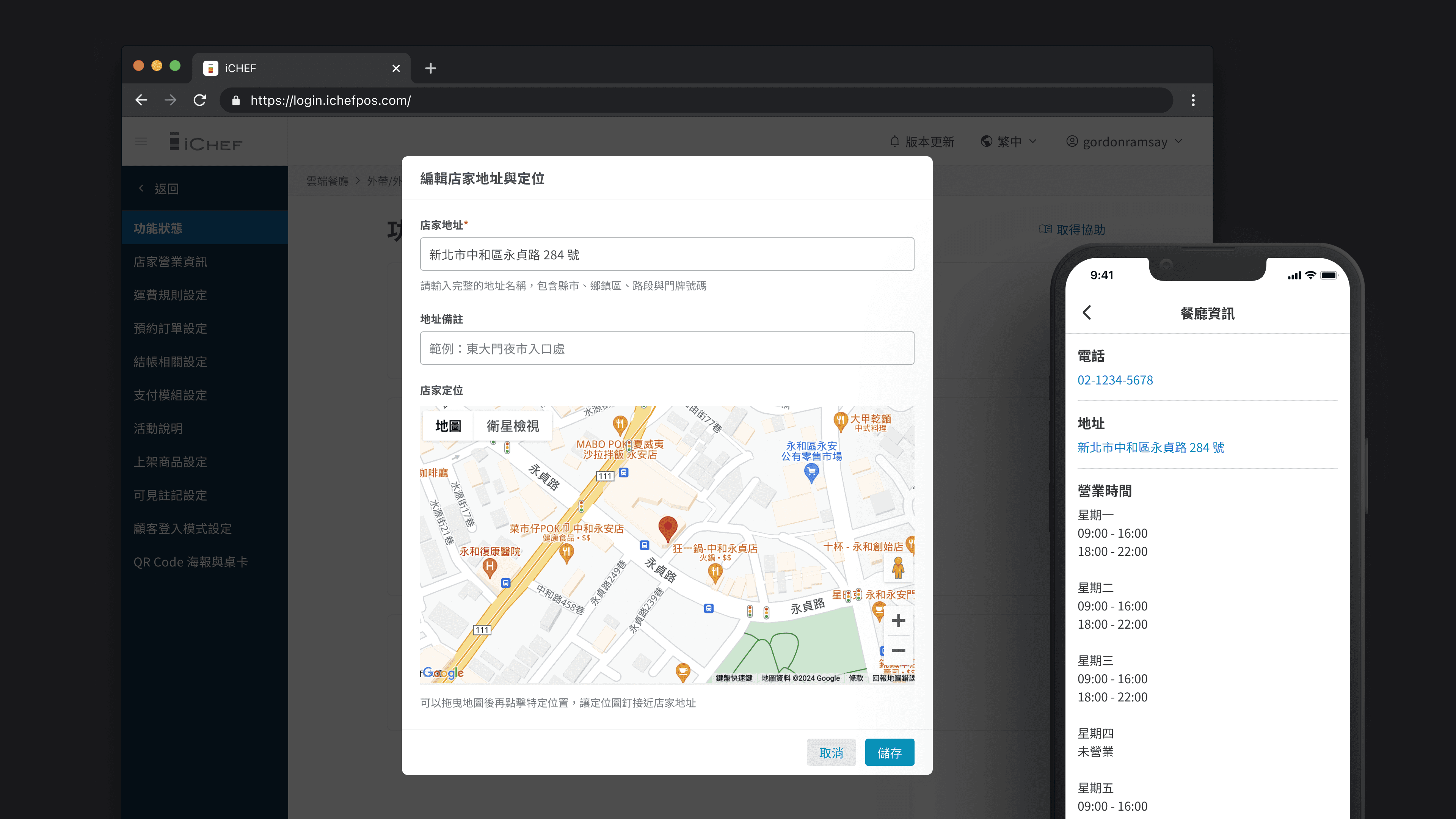
At first glance of the online ordering, consumers can easily identify the type of service the restaurant offers and whether it is open for ordering. We provide two pathways: consumers can either choose a pickup method and time first, or after placing an order, they can click on 'View Cart' to make adjustments.
Takeout and Delivery
Delivery Only
Takeout Only
For Browsing Menu Only
Online Ordering
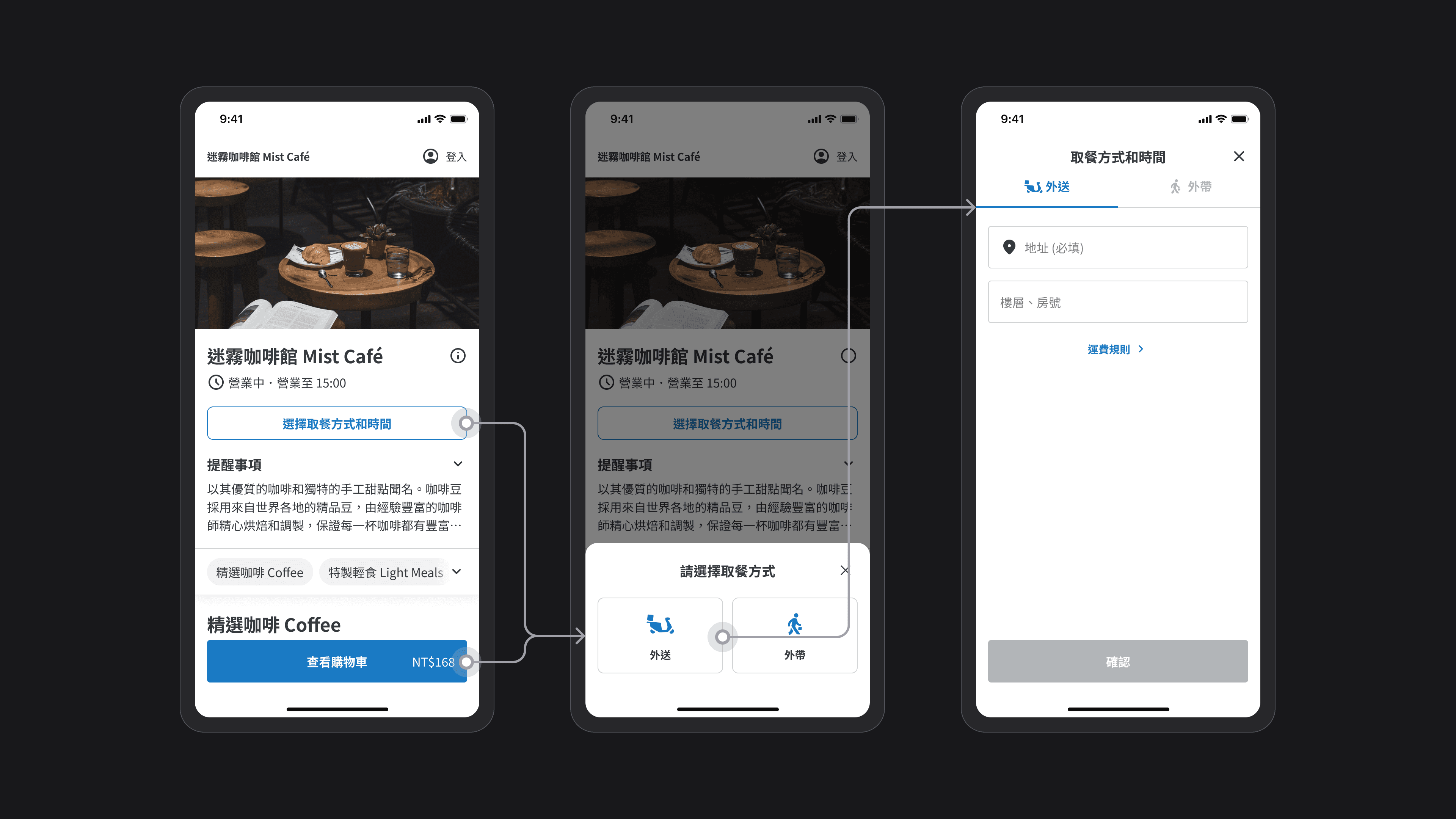
After the consumer enters the address, the system will automatically calculate the distance from that address to the store location and display information such as delivery time and shipping costs based on the shipping cost rules set by the store. If the consumer has any doubts, they can further view the complete rules and explanations.
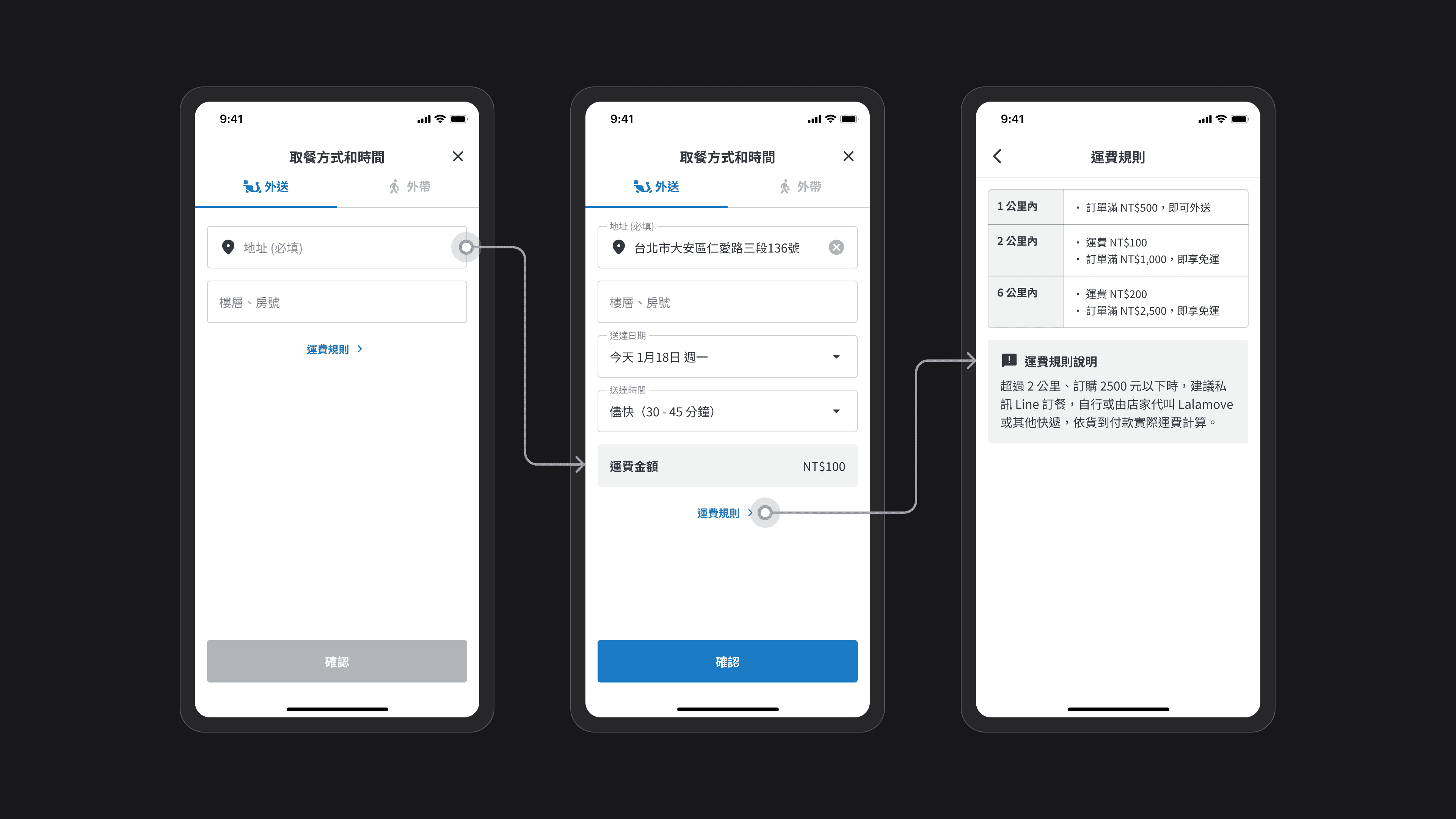
Online Ordering
If the consumer has already entered the address and is ready to order, or has added some items to the shopping cart, they can check the information on delivery thresholds and shipping fee above the 'View Cart' button.
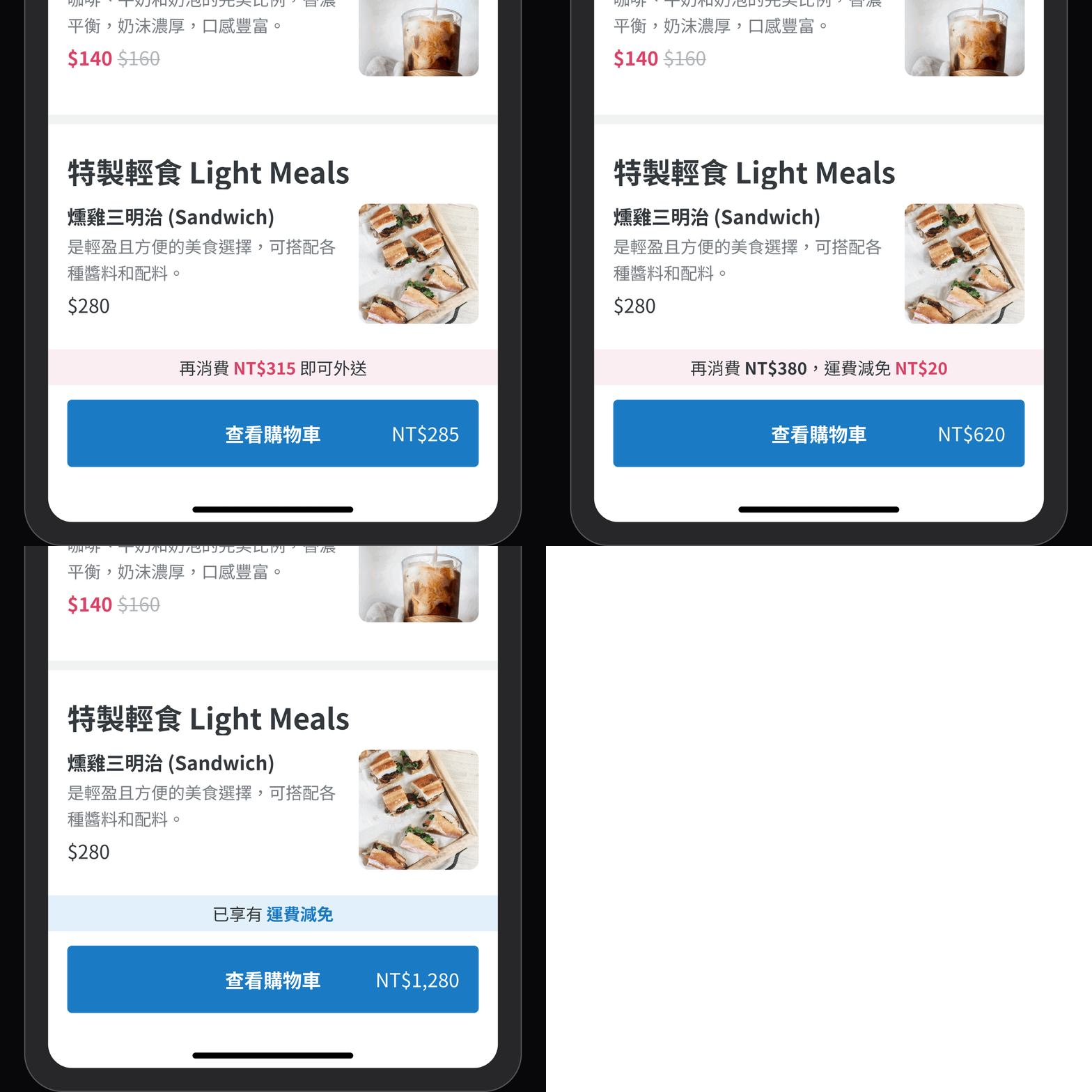
Online Ordering
After the store receives an order on the POS system, the consumer will see corresponding messages in real-time on the order status page. Once the store confirms that the meal has been delivered, they can switch the order status to "Order Completed" to finish the order.
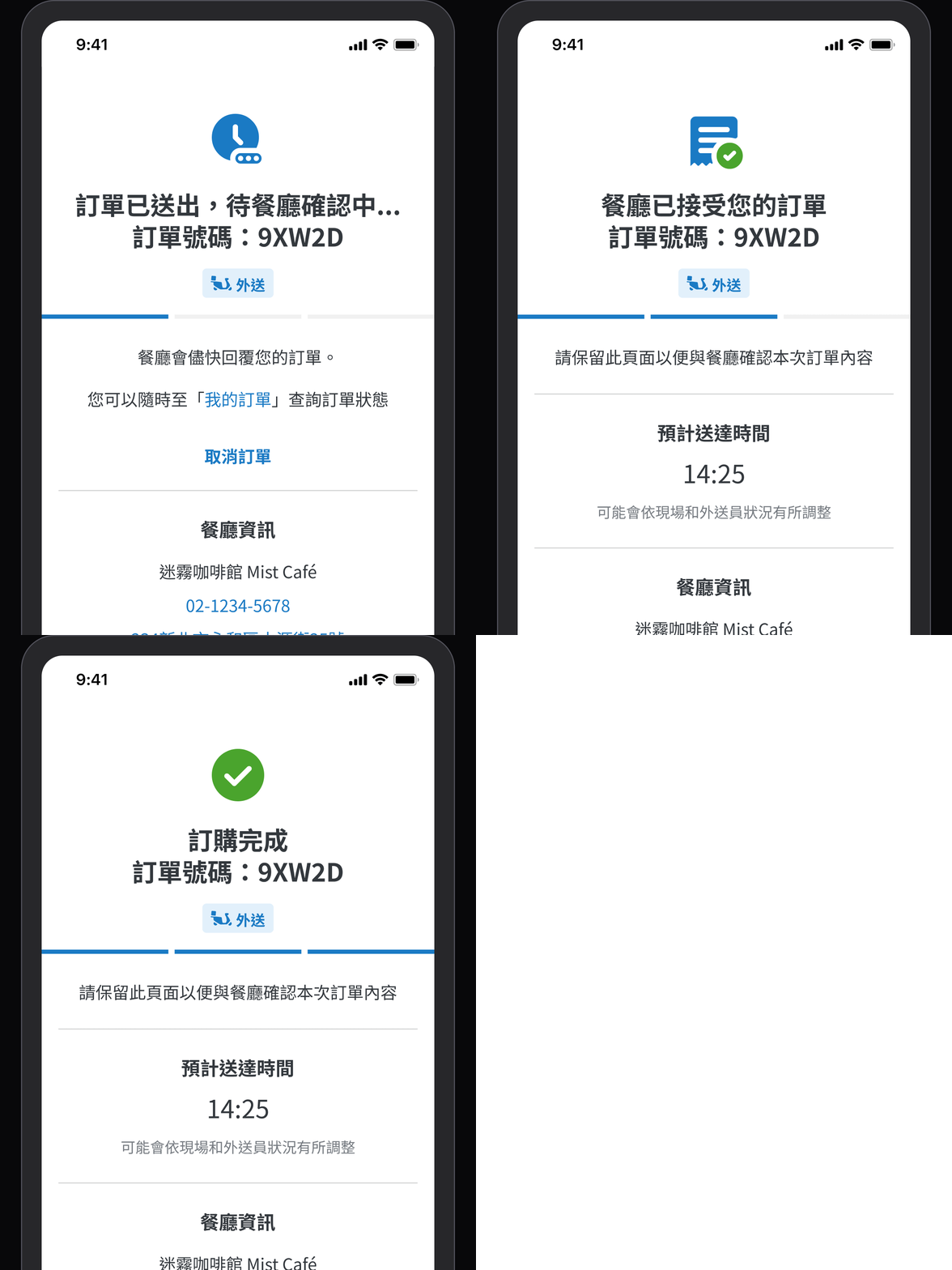
POS
After the consumer submits an order, the store will instantly receive the order on the POS system. They can distinguish different types of orders through the icons on the left side, including orders from "Uber Eats, foodpanda, takeout, and delivery". After accepting the order, they can also view relevant information on the list page and click into the order for more details.
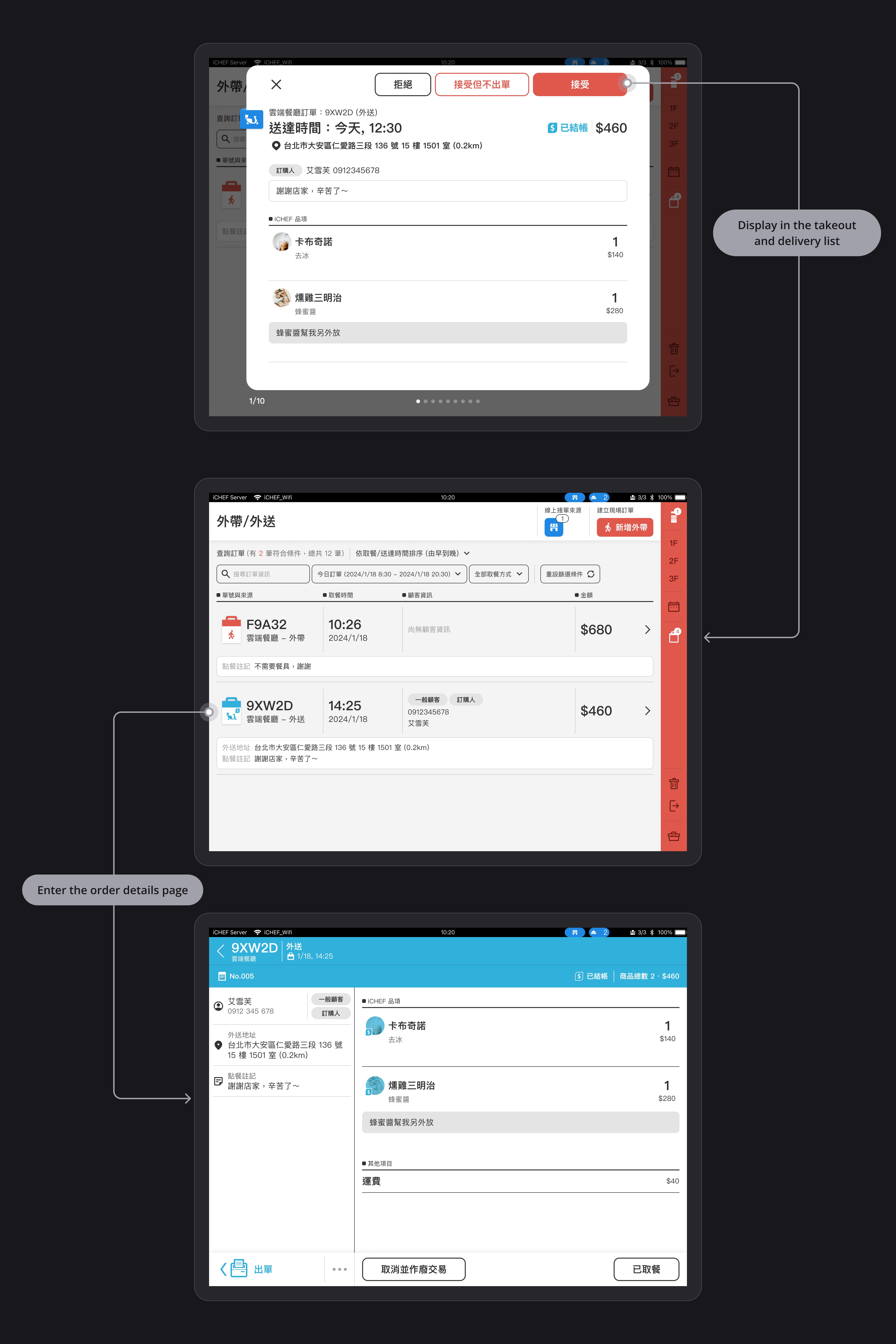
POS
Restaurants often face various situations during operations, such as too many customers on site, insufficient delivery staff, and urgent matters to handle. Therefore, we also provide a quick setup toggle in the POS system, allowing businesses to make adjustments without having to go to the merchant's platform.
Receipts
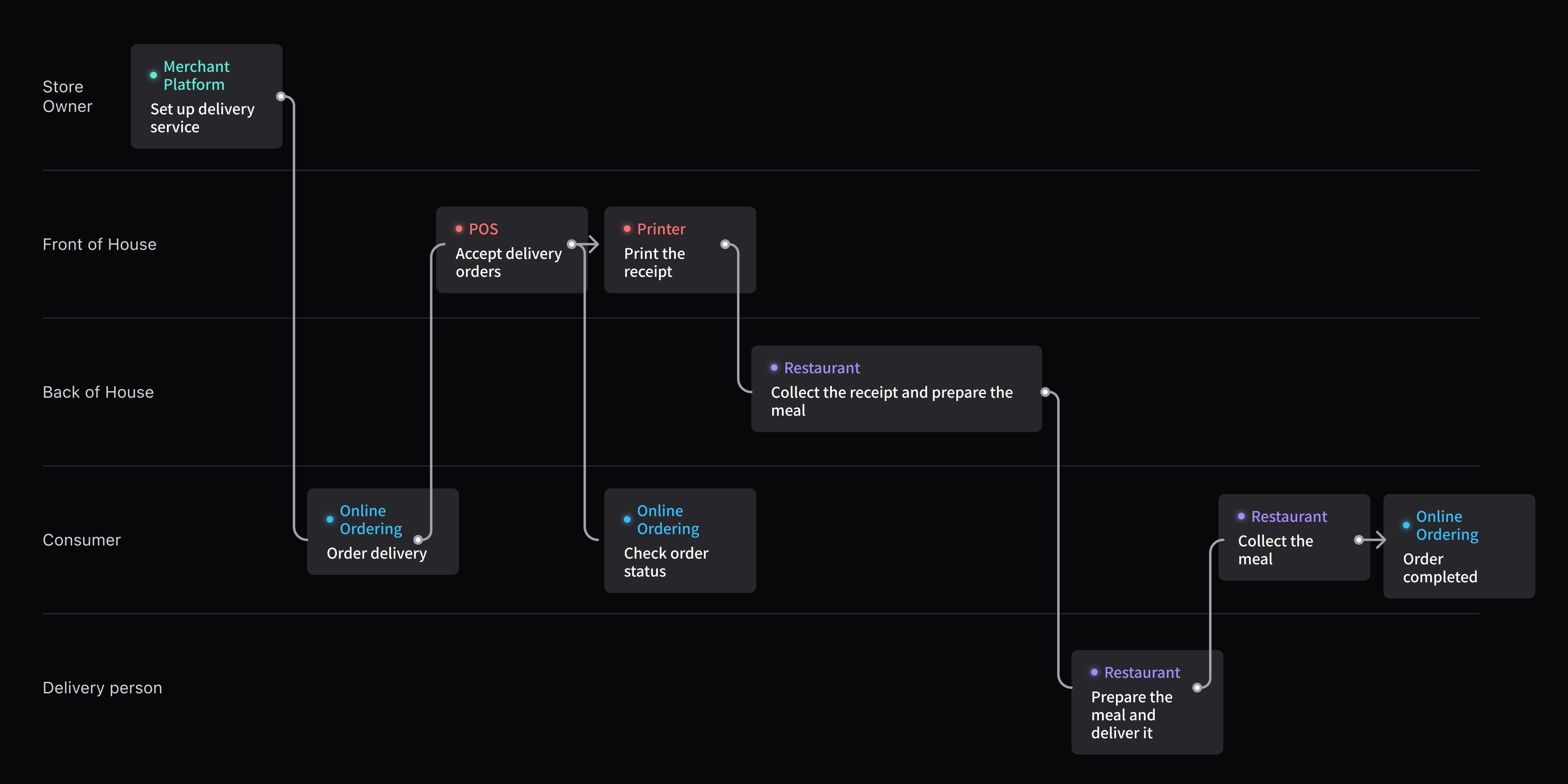
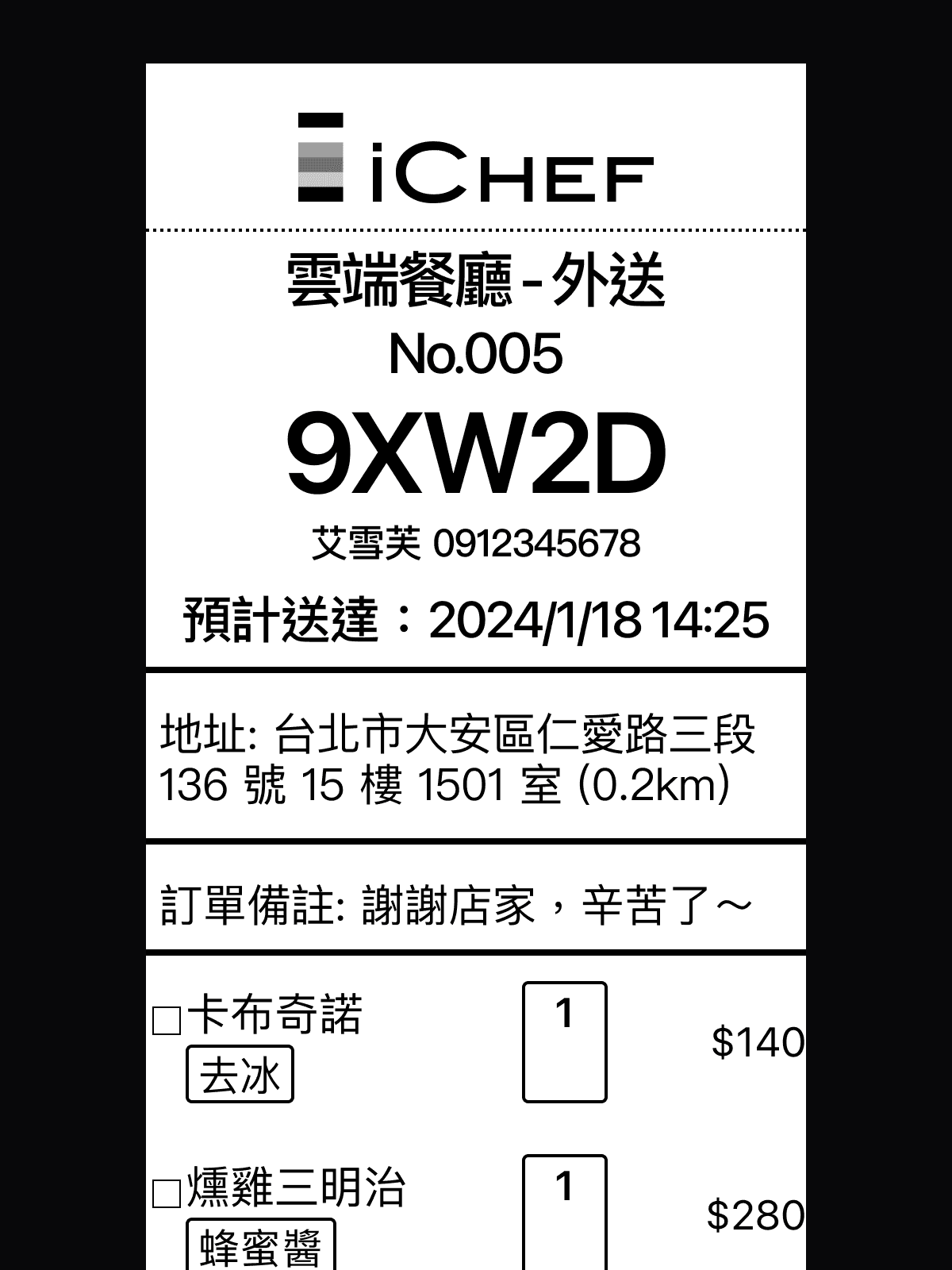
After the store receives the order and prints the receipts, they can view key information such as "order type, number, customer's name, delivery time, address, and notes" and begin preparing the meal. They can also group orders that are nearby together to facilitate the arrangement of delivery routes.
Beta Test
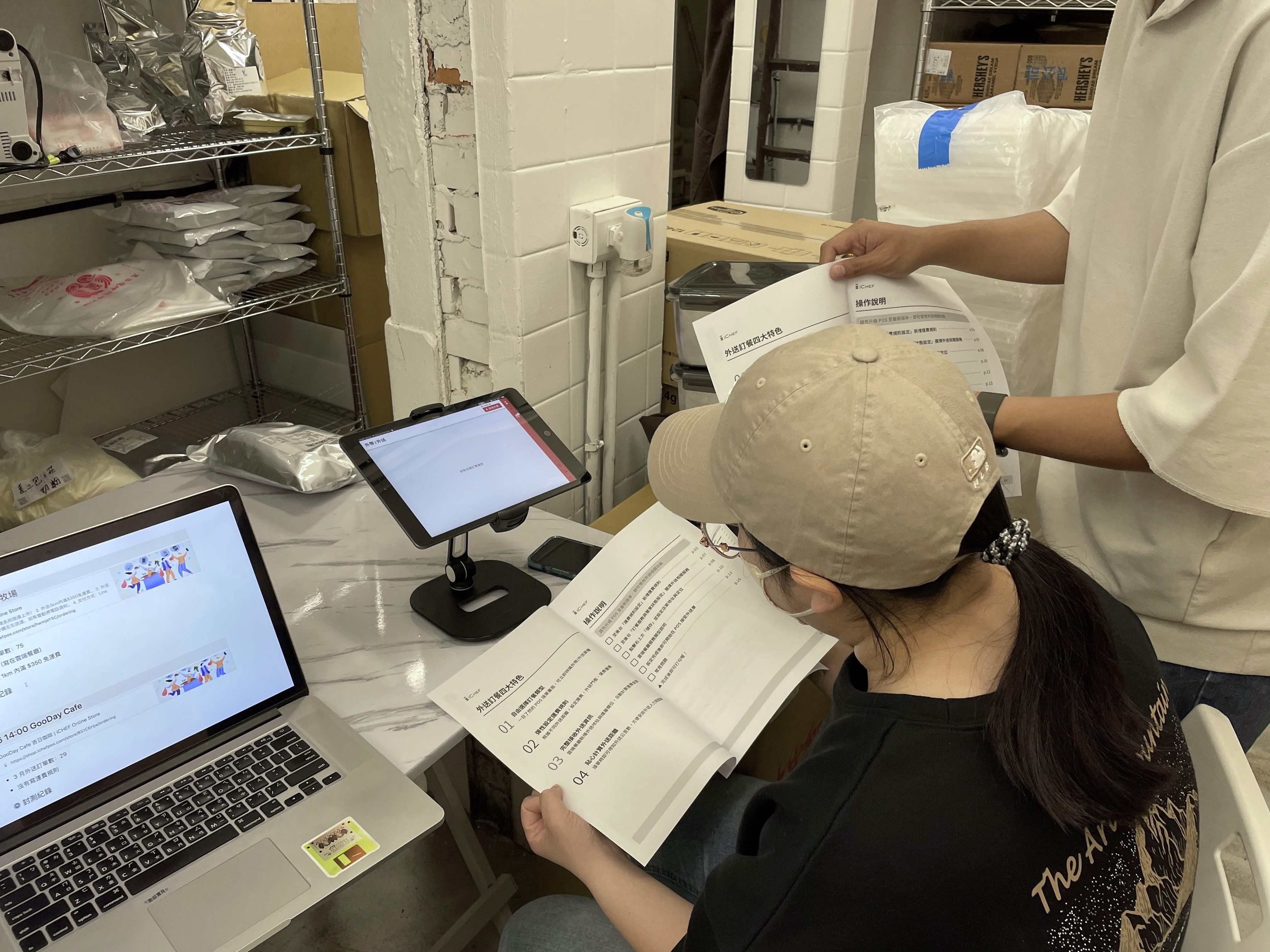
We are very happy that, due to multiple internal usability tests conducted during the design process, the store owners did not encounter any setup obstacles and greatly appreciate iCHEF's efforts. We only need to fix some engineering bugs!
Influence
In addition to the project itself
I also brought positive effects to the team
This is my first project joining iCHEF. I need to build trust before I can start making an impact on the team.
Initiate guerrilla interview plan
Through guerrilla interviews with iCHEF merchants, I was able to quickly acquire knowledge of the restaurant industry and observe usage scenarios, fostering a culture of guerrilla interviews among other partners and sharing insights with each other.
Build the design system
Originally, we did not have a shared component library, and designers had to search for components from different files. Therefore, I chose to proactively assist in establishing a Design System to improve work efficiency.
Create beta test document template
Due to the PM being busy with project tasks in the later stages, after we confirm that we will conduct the beta test, I started assisting in preparing the documentation, which serves as a template for other teams to use.
Feedback
Shout out to the strong project team!
Although the design pace is tight, and I need to quickly understand iCHEF's development process, business goals, industry knowledge, as well as many spec details, error handling, and edge cases to pay attention to, the support from these partners allows me to work flexibly.
Thank you, Kat, for being able to design and plan the delivery project so well in such a short time since joining iCHEF. Your regular sharing of competitor insights and personal thoughts on various events not only helps everyone understand the market and competitors better but also inspires other partners with your enthusiasm.

Product Manager
Thank you, Kat, for creating a clear design draft. The scope is extensive, but it is organized in a very systematic way. Any subsequent changes will be marked with the modification time, and everyone will be notified daily. That's great.

Front-end Engineer
Thanks to the designers for providing detailed Figma design file, and for continuously updating the parts that need modifications during development.

iOS Engineer